Deploy Hugo From Private Repository to GitHub Pages
Hugo is a nice static site generator. A common scenario is to store your website source code in a private repository and serve it on GitHub Pages. Can we leverage the github actions to automatically build and deploy the site from the private repository to GitHub Pages? The answer is absolutely yes!
Before we start, you need to have two repos (can belong to different github accounts):
- Source Repo: the repo to store
- Target Repo: host the GitHub Pages (xxx.github.io)
What we need to do is to create a personal access token in the target github account, configure it in the source repo and create an action workflow yaml.
Create Personal Access Token
Personal access tokens (PATs) are an alternative to using passwords for authentication to GitHub Enterprise Server when using the GitHub API or the command line.
We will use the PAT to push the built hugo website from the source repo to the target repo.
Just follow this post to generate a PAT:
Profile Photo -> Settings -> Developer settings -> Personal access tokens -> Generate new token
Remember to check the following two scopes: workflow and write:packages.
Copy the token and properly save it, assume it is TOKENXXX.
Notice that the PAT is an account-level token, deploy key is recommended to use as a repo-level token.
Configure the PAT as a Secret in Source Repo
Go to the source repo:
Settings -> Secrets -> Actions -> New repository secret
Paste the token created before TOKENXXX to the value field. Name the secret as SECRETNAME.
Create Action Workflow Yaml in Source Repo
The action workflow consists of the following parts:
- Checkout: checkout the source code
- Setup Hugo: setup Hugo environment
- Run Hugo: build the static website
- Deploy: use # GitHub Pages Deploy Action to publish the website to the target GitHub Page
The action workflow yaml is based on:
# Using GitHub Actions to Publish Hugo Site From Private to Public Repo
. Modify according to your needs, create a new workflow action in the source repo and paste it into the editor. The yaml should be put in the path: .github/workflows/main.yml :
| |
Modify the following fields:
branches: [ master ]: the action will be triggered when you push to the master branchtoken: ${{ secrets.SECRETNAME }}: change the secret name to the PAT secret namerepository-name: xxx/xxx.github.io: the target GitHub Page repository address
Then after you push the source code to the source repo, the deployment action will be triggered:
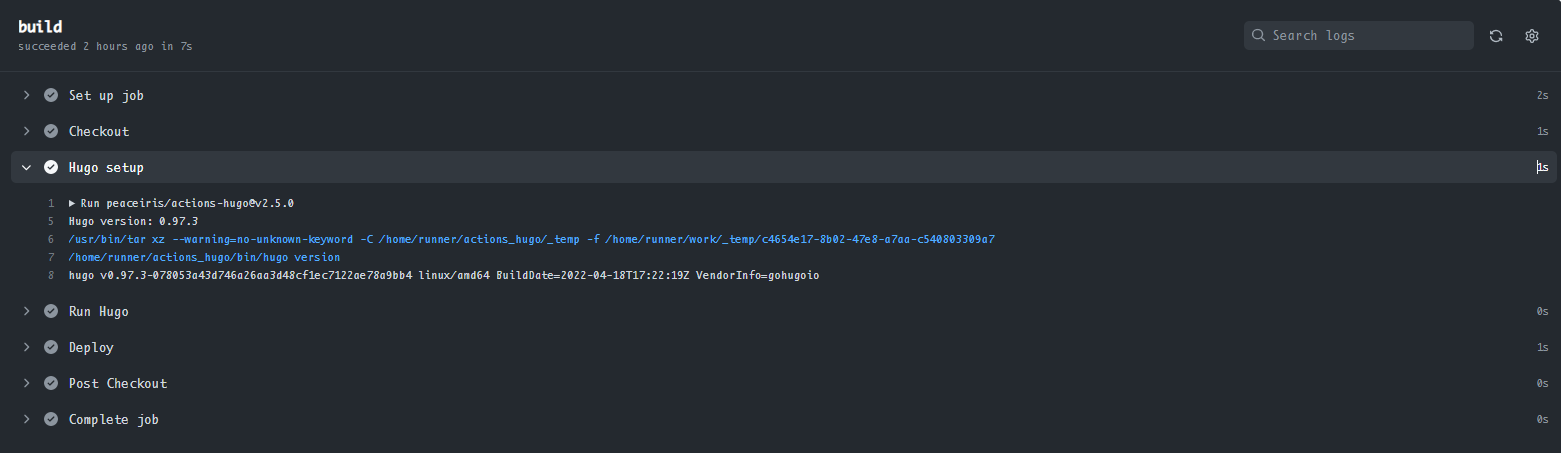
The action workflow can be easily applied to deploy Hexo site as well: just modify Setup Hugo and Run Hugo would be OK.