MongoDB Agent Host Discovery Issue
I have a sharded cluster (2 shards, each 3 mongods; 3 config server, 2 mongoses) which is deployed by MongoDB Ops Manager.
Last week, one of the shard host status was shown as a grey diamond (Hover: “Last Ping: Never”). Besides, in the Ops Manager’s server page, a server had two processes (e.g. sharddb-0 and sharddb-config). However, the cluster still works well and we can list the host sharddb-0-0(shard 0, replica 0) in the mongo shell by sh.status() and rs.status(). What’s wrong with the cluster?
Problem Analysis
It looks like that one of the server is out of Ops Manager’s monitoring (but the agent log was still collected in time):
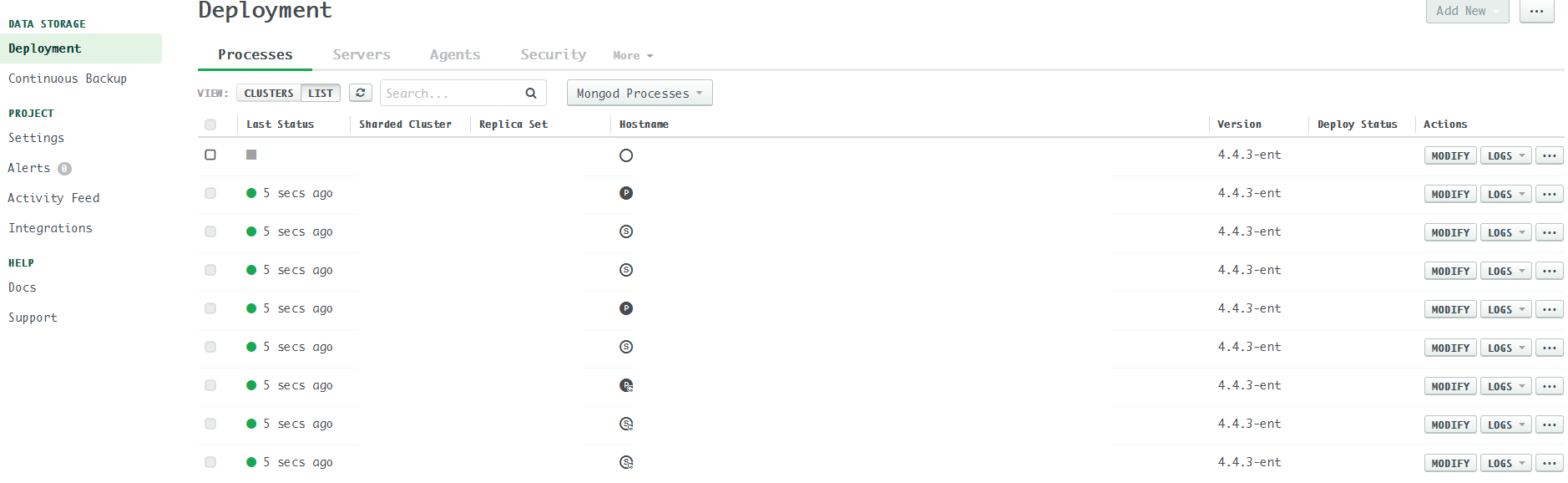 In the first glance, I thought the issue was caused by the host. Therefore, I deleted the corresponding pod as well as its pvc in kubernetes and waiting for the host to be recovered. No luck.
Monitoring Logs
I checked the automation agent log:
[2021-01-15T10:13:03.299+0000] [discovery.monitor.info] [monitoring/discovery.go:discover:793] Performing discovery with 10 hosts [2021-01-15T10:13:06.661+0000] [discovery.monitor.info] [monitoring/discovery.go:discover:850] Received discovery responses from 20/20 requests after 3s [2021-01-15T10:13:58.298+0000] [agent.info] [monitoring/agent.go:Run:266] Done. Sleeping for 55s… [2021-01-15T10:13:58.298+0000] [discovery.monitor.info] [monitoring/discovery.go:discover:793] Performing discovery with 10 hosts
Looks like the issue was caused by mongodb-mms-automation-agent host discovery.
Since there are 11 hosts in total (2 * 3 + 3 + 2 = 11), the mongodb-mms-automation-agent needs to send 22 requests instead of 20. That’s why it doesn’t discover host sharddb-0-0.
System Warnings
After that, I found some system warnings in the admin page:
Automation metrics found conflicting canonical hosts=[sharddb-0-0.sharddb-sh.mongodb.svc.cluster.local:27017] within all ping’s hosts=[sharddb-0-0.sharddb-sh.mongodb.svc.cluster.local:27017]. Skipping this sample.
Backup agent warnings:
com.xgen.svc.mms.svc.alert.AlertProcessingSvc [runAlertCheck:187] Alert check failed: groupId=5ff879a85d86101b89072b19, event=BACKUP_AGENT_DOWN, target=unassigned java.lang.IllegalStateException: Duplicate key sharddb-0-0.sharddb-sh.mongodb.svc.cluster.local (attempted merging values BackupAgentAudit{Id: 5ff8802c39e579142fd18bcd, GroupId: 5ff879a85d86101b89072b19, Hostname: sharddb-0-0.sharddb-sh.mongodb.svc.cluster.local, Version: 10.14.17.6445} and BackupAgentAudit{Id: 5ff8802d39e579142fd18d2f, GroupId: 5ff879a85d86101b89072b19, Hostname: sharddb-0-1.sharddb-sh.mongodb.svc.cluster.local, Version: 10.14.17.6445})
The above logs indicate that the host sharddb-0-0 is conflicted with some other hosts. But how to make the automation agent discover the missing hosts?
Solution
After one week grinding, I accidently found the culprit: conflict host mappings. What’s host mappings? Refer to: Host Mappings
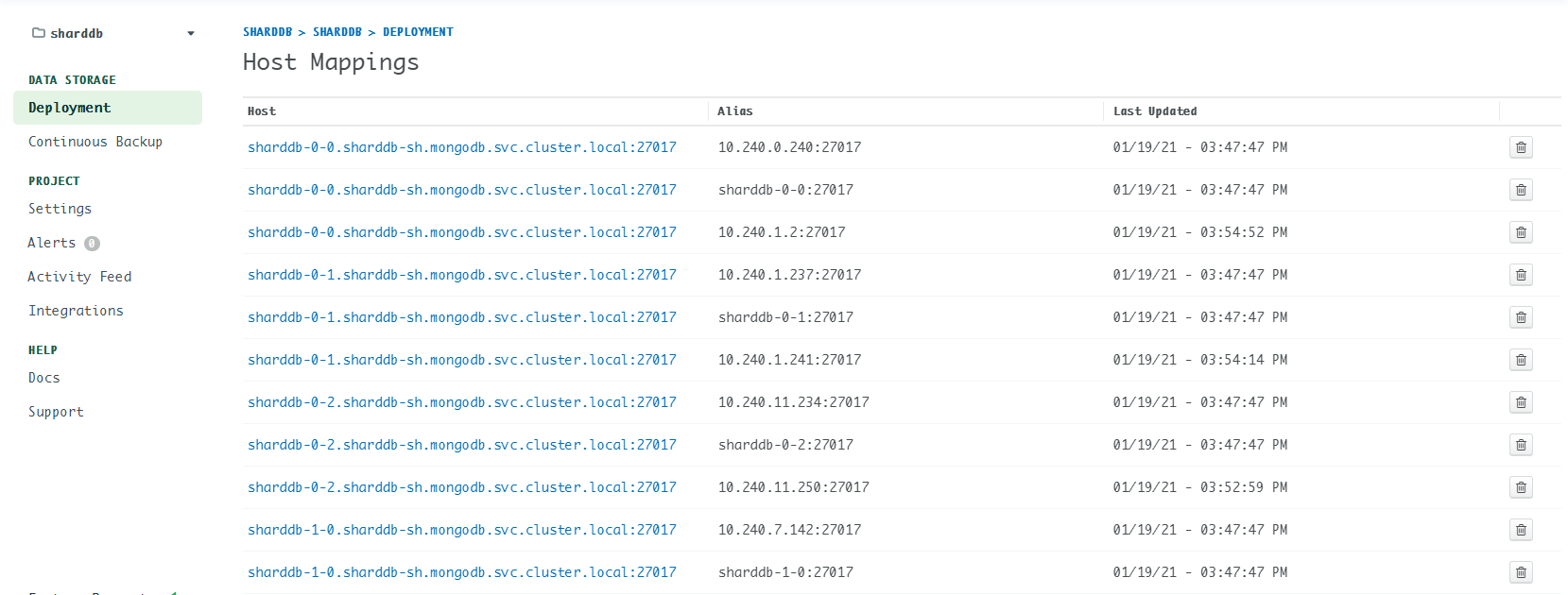
Go to Deployment -> More -> Host Mappings to check the existing host mappings. If you find something like this:
| Host | Alias |
|---|---|
| sharddb-0-0.sharddb-sh.mongodb.svc.cluster.local:27017 | sharddb-0-1:27017 |
That means sharddb-0-0 is mapped to sharddb-0-1, then conflicting hosts issue occurs.
Solution: delete the conflict host mappings, or simply delete all host mappings. (Don’t worry, the mapping will be reconstructed several minutes later.)
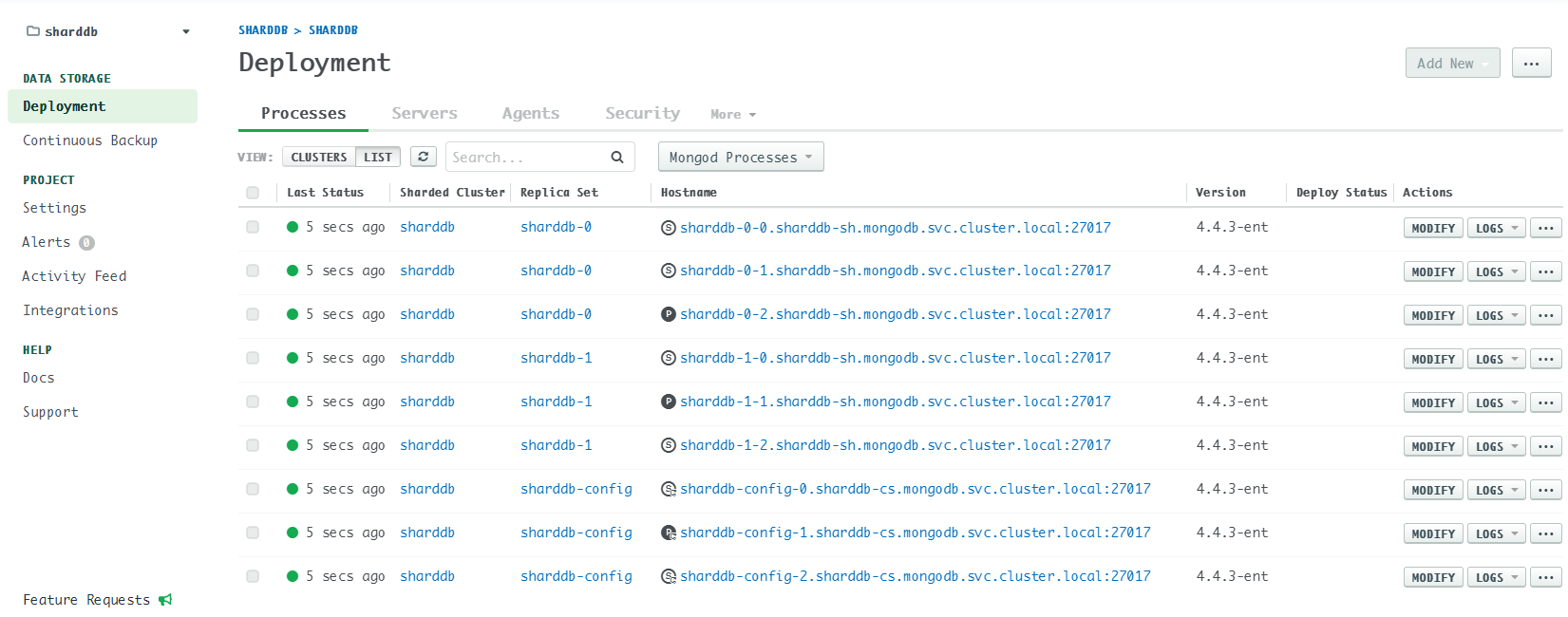
I guess the root cause is that the Ops Manager doesn’t update the host mappings timely. If host A obtain a new IP which is previously used by host B, then the issue happens.