MongoDB Cluster In Kubernetes(2): Create a UserDB ReplicaSet
This is part2, we will create a user database that is a 3 instances ReplicaSet.
MongoDB Ops Manager Series:
- Install MongoDB Ops Manager
- Create a UserDB ReplicaSet
- Expose UserDB to Public
- Openssl Generates Self-signed Certificates
- Enable UserDB TLS and Auth
The so called Application Database is the backend DB of Ops Manager. It cannot be used to store user data. The user database is called MongoDB Deployment. Note that the deployment is different with Kubernetes deployment.
For simplicity, we will create a replicaset instead of a sharded cluster. The configuration process is almost the same. Because sharded cluster consists of more components, the configuration is more complicated. Let’s start with an easier one. :-)
Reference: Deploy MongoDB Sharded Cluster by Ops Manager
Unfortunately, creating user database cannot be directly done by the Ops Manager web UI. Most of the operations should be performed by the MongoDB Kubernetes Operator, aka the kubectl command line. If you try to create it through web UI, you need to manually configure variety of parameters and install Agents which I don’t know how to do it. So to my understanding, Ops Manager is a great tool for visualization and automation tasks, but not good at cluster manipulation. I think the reason is that the cluster specification is too complicated to incorperated to the UI.
The official blog
created user database by a new generated API key. However, I always failed with this method. I bypass the issue by creating the user database by ops-manager-admin-key. Though it’s not recommended, it works.
Update 2020-12-23: Please follow the official approach below. The 401 unauthorized issue is caused by that the API Key Secret username is not the same with the admin username.
The Official Approach
Generate a Public API Key
Go to Ops Manager, “UserName -> Account -> Public API Access”, click the top right-most “Account”:
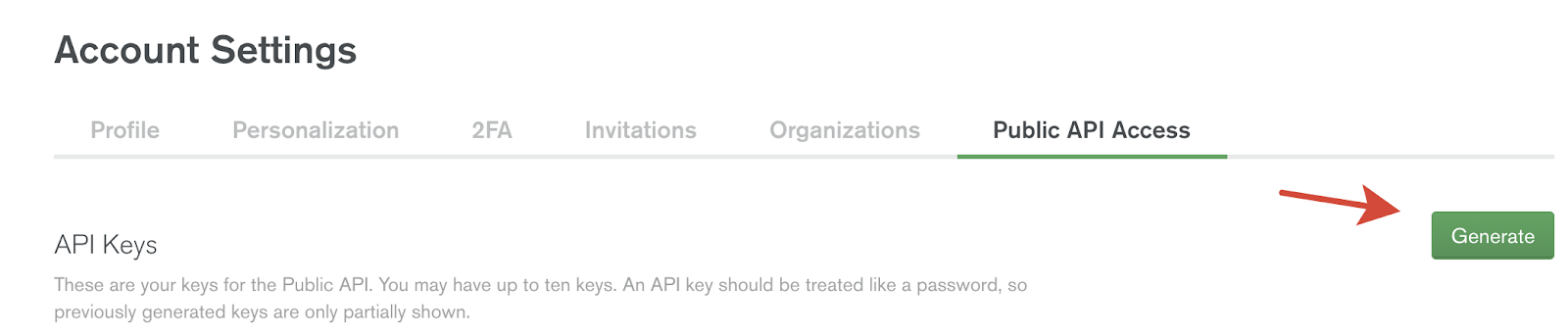
Note that the <apikey> appears only once, please well remembered.
Create API Key Secret
Make sure that the user specified here is the same with the Ops Manager admin user!(created at Install MongoDB Ops Manager )
Create Ops Manager Connection ConfigMap
Find Ops Manager url first:
Create ops-manager-connection ConfigMap with the above URL:
Create User Database userdb
Create the user database by kubectl, edit the userdb.yaml and fill in credential and configMap fields:
Simple(Crude) Approach (Not Recommended)
Please follow the official approach above.
You might encounter the following error after apply userdb.yaml:
| |
401 (Unauthorized) error, it seems that the generated key is not valid.
I found an API key in the Public API access page by chance. Although the whole key is partially shown in the Ops Manager, we can found the original key in the kubernetes secret: ops-manager-admin-key. Let’s check the last bits of the ops-manager-admin-key in the Ops Manager:
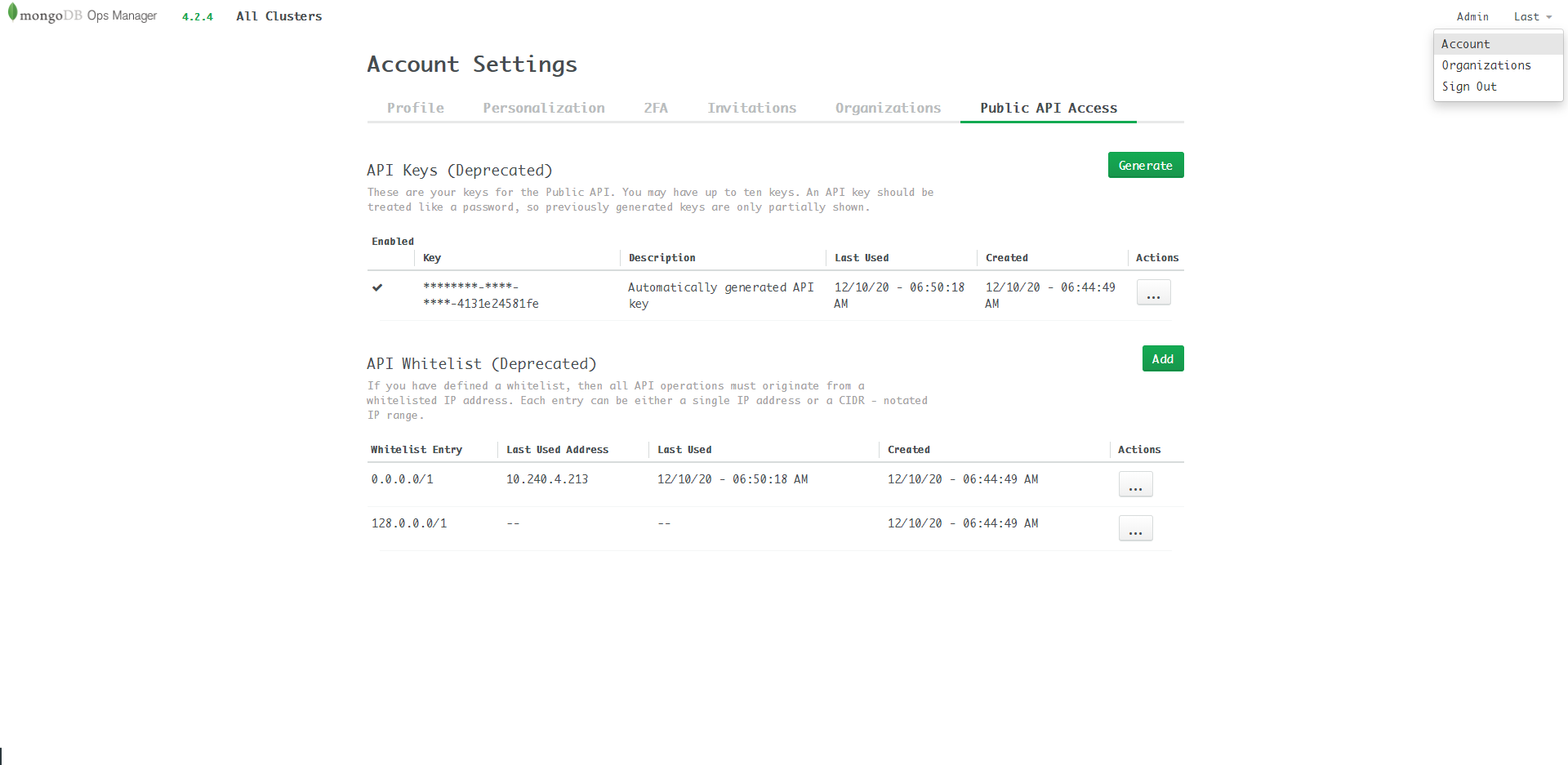
Modify the last line of userdb.yaml:
Then apply it. It works!
Again, this method is not recommended, but till now I don’t find other alternatives.
A new statefulset userdb is creating, wait until the state becomes “Running”:
Refresh the Ops Manager UI, click All Clusters, you will find that there are 2 clusters with corresponding context and Project:
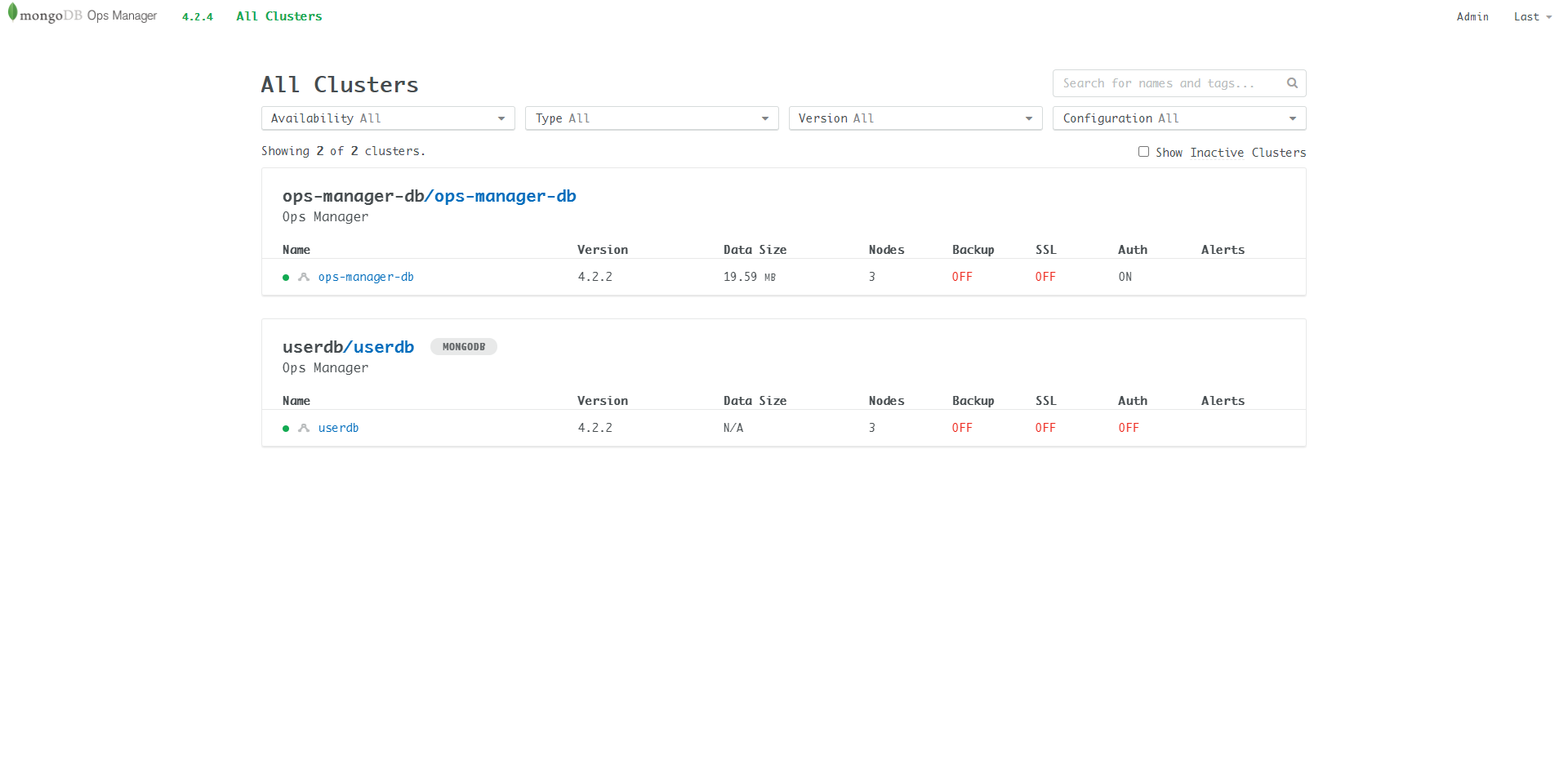
View userdb processes:
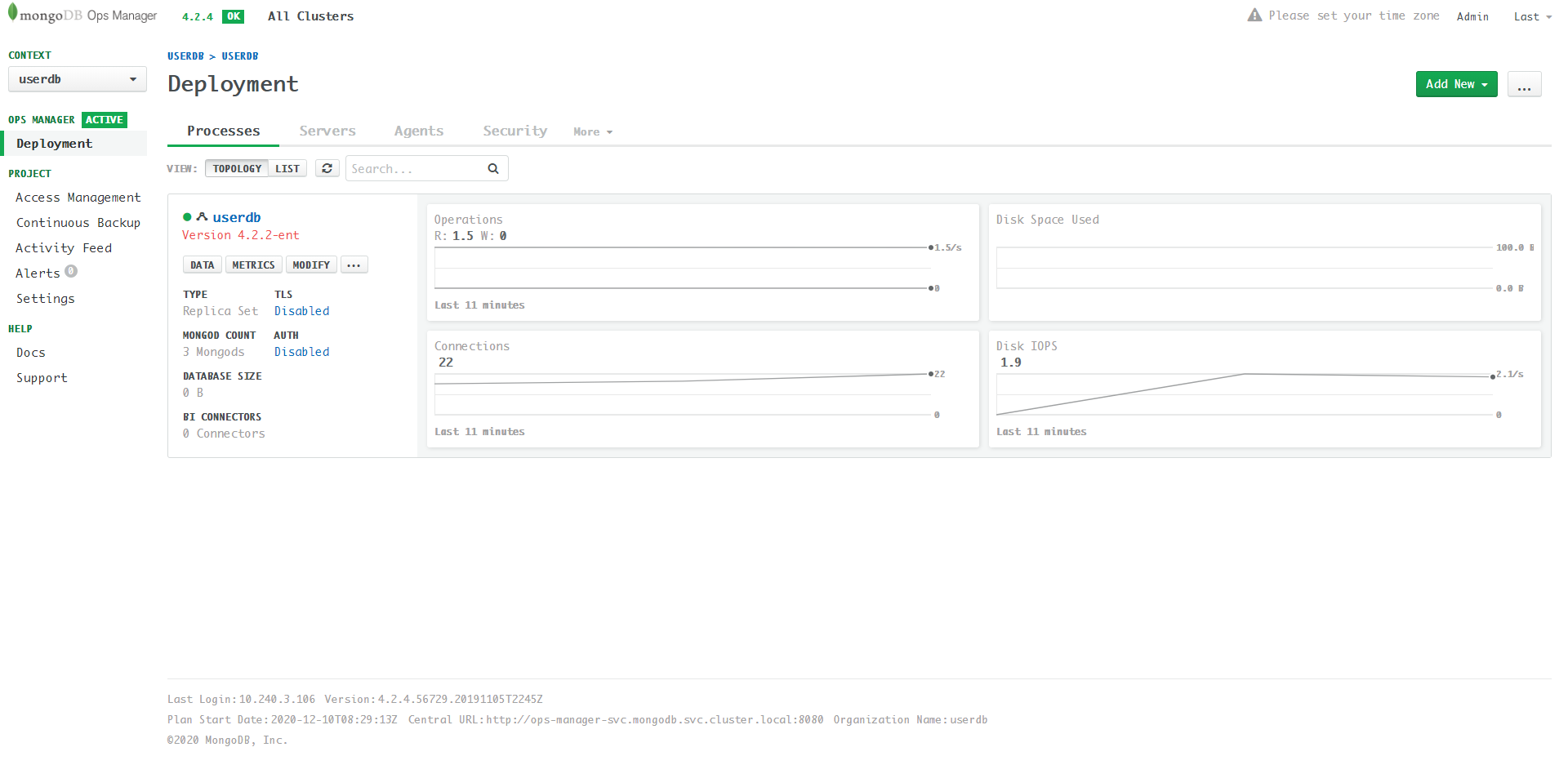 Found that both TLS and AUTH are
 disabled. The transport layer communication is not encryped, username/password is not required.
View userdb servers:
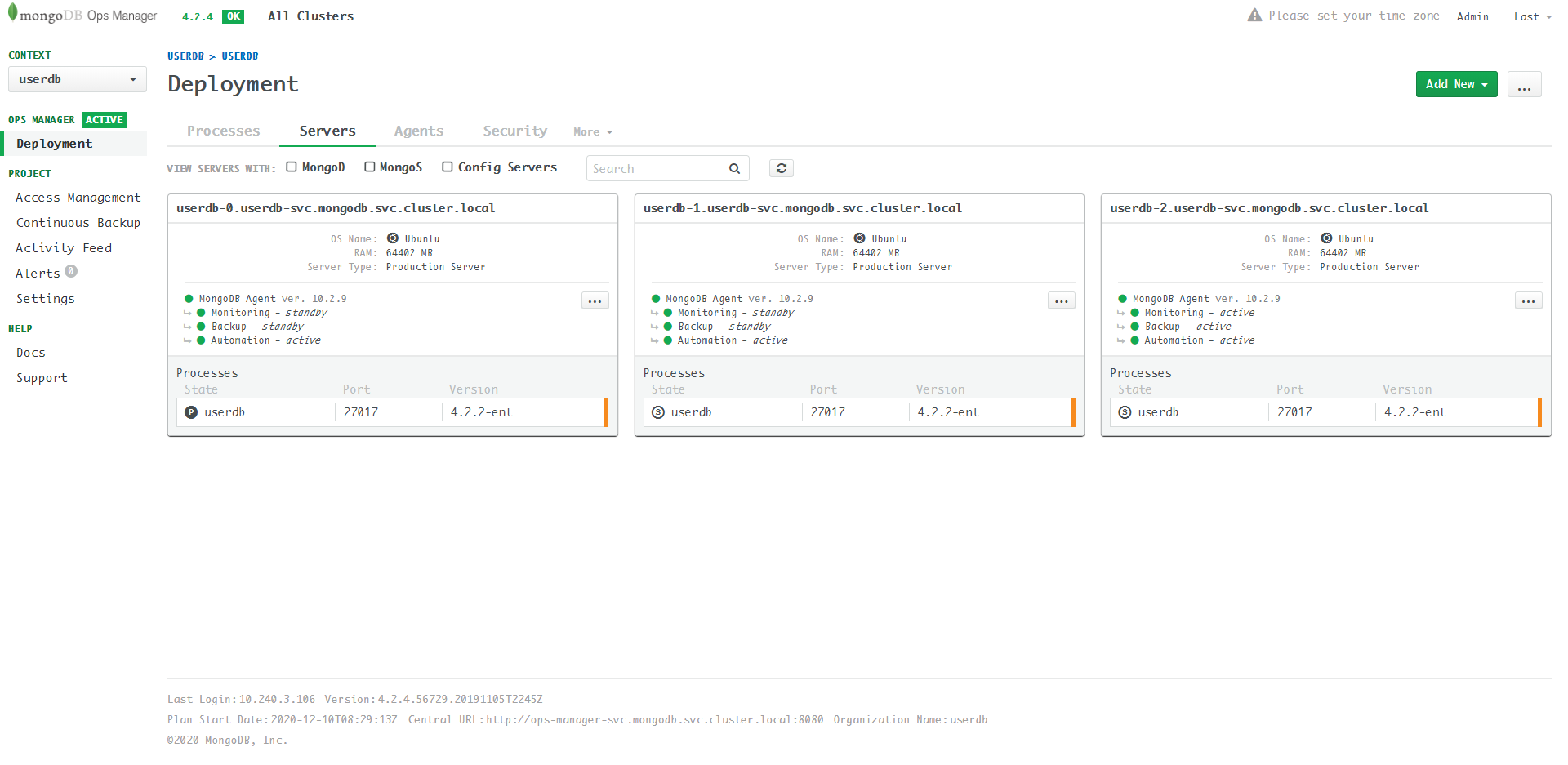
Note that the server address is something like: userdb-0.userdb-svc.mongodb.svc.cluster.local, which is an internal address. Therefore, we cannot connect to the userdb through Mongo Client.
Now the user database is sucessfully created!
Next we will expose the user database to the public by creating services: Expose UserDB to Public