MongoDB Cluster In Kubernetes(1): Install MongoDB Ops Manager
It’s pretty easy to configure a MongoDB standalone instance (almost zero configuration). However, if you want to run a production-level MongoDB cluster, the configuration process is non-trivial. For a production cluster, replication/sharding/dyanmic scaling/backup/transport encryption/monitoring are required. Is there a nice tool to help us?
MongoDB cluster is a distributed system, which is well suited to run in Kubernetes. However, the collaboration of MongoDB instances usually need to manually run commands on each instance which is independent of Kubernetes. Therefore, MongoDB Enterprise Kubernetes Operator is developed to mitigate the gap. Morever, MongoDB Ops Manager is a great web portal to help these automation tasks.
The whole deployment and configure process is a little bit long, I wrote a series of small pieces to make each of them compact and easy to follow:
- Install MongoDB Ops Manager
- Create a UserDB ReplicaSet
- Expose UserDB to Public
- Openssl Generates Self-signed Certificates
- Enable UserDB TLS and Auth
Prerequisites
- Have a Kubernetes cluster
- Basic understanding of MongoDB
- Basic understanding of Kubernetes deployment/service/statefulset
- Familiar with kubectl operations
This is part1, we first introduce the MongoDB Ops Manager components, then install it into your Kubernetes cluster.
MongoDB Ops Manager Kubernetes Overview
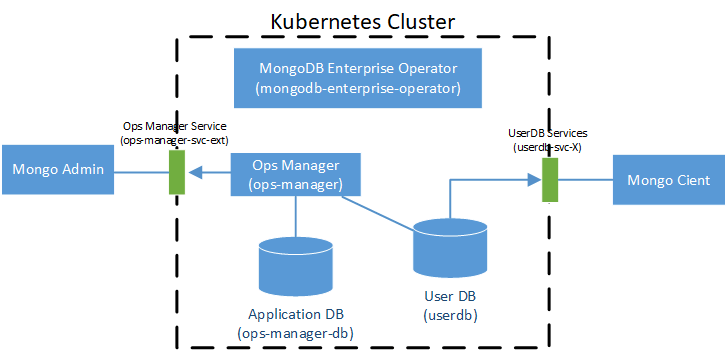
A simple diagram to illustrate the MongoDB Ops Manager architecture:
 Kubernetes Deployment:
- Mongodb Enterprise Operator
: Extend the Kubernetes API by
CustomResourceDefinition
Kubernetes StatefulSet:
- Ops Manager: MongoDB Ops Manager web portal, need a persistent volume
- Application Database: Ops Manager backend DB, default a 3 instances replicaset
- User Database: created by Ops Manager, a 3 instance replicaset in this tutorial
Kubernetes Services:
- Ops Manager Service: Ops Manager web service.
Mongo Adminmanipulates the projects and the MongoDB deployments by it - UserDB Services: exposed services for UserDB.
Mongo Clientconnected to UserDB through these services
Install MongoDB Ops Manager in Kubernetes
The install process is not hard, just follow the official blog: # Part1: Running MongoDB Ops Manager in Kubernetes
Here we provide more details including kubernetes dashboard snapshots and command outputs.
Install MongoDB Enterprise Operator
| |
Tips: if your create a different namespace (not mongodb), you need to manually download the two yamls and modify its namespace to your own namespace name.
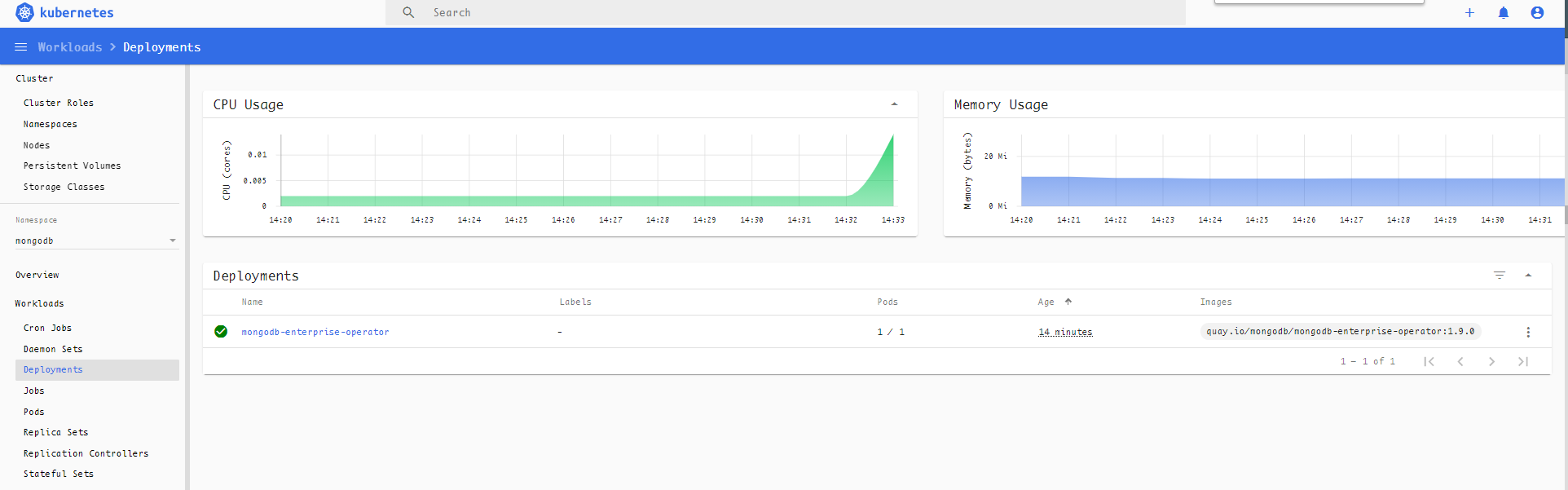
Here we created a deployment: mongodb-enterprise-operator, view it in the kubernetes dashboard:
Install MongoDB Ops Manager
Create Ops Manager Secret
Remember the username and password, we will login to the portal by them later.
MongoDB Ops Manager Config: ops-manager.yaml
| |
Apply ops-manager.yaml
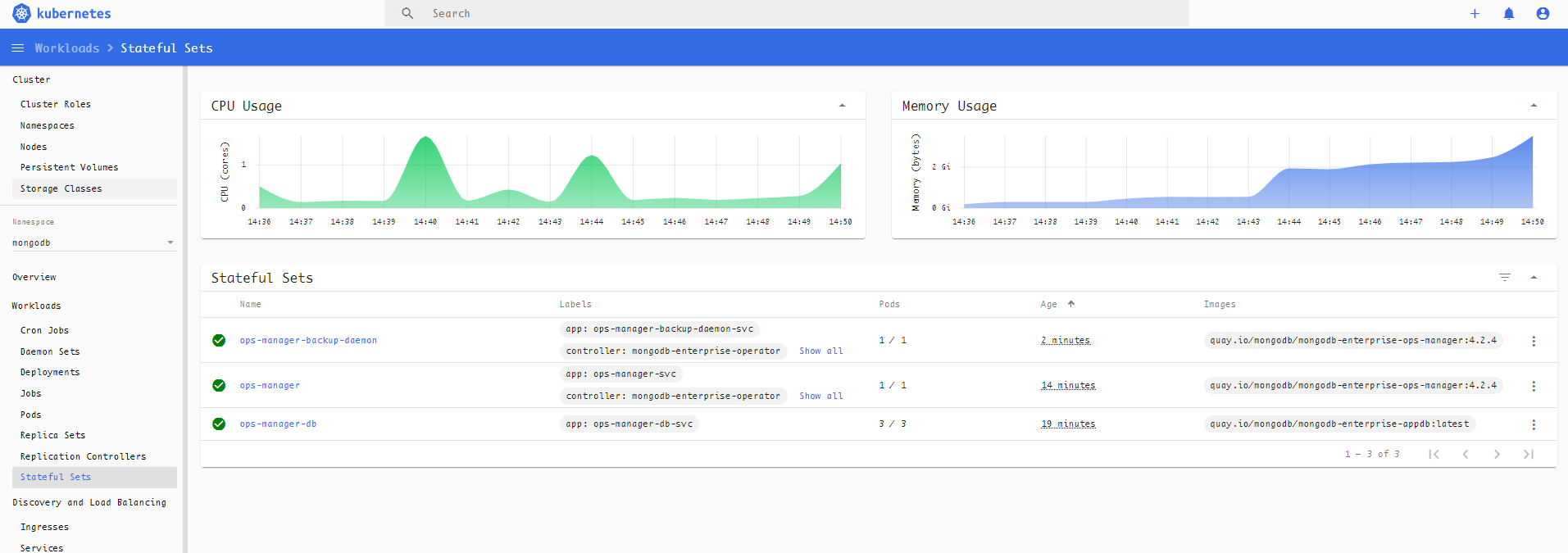
After execution, 3 statefulset are created:
- A 3 instances statefulset as Ops Manager backend DB
- A statefulset as Ops Manager web portal
- A statefuleset as backup daemon
Wait until these resource status becomes “Running”:
View the services:
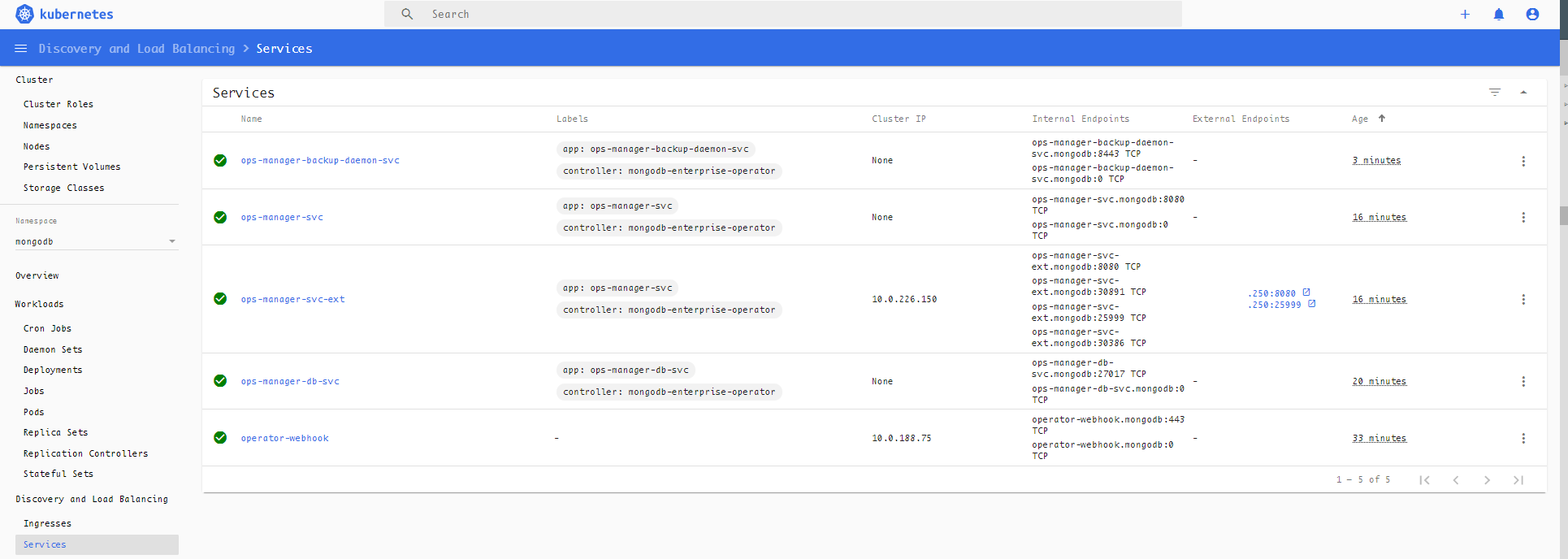
Find the Ops Manager service ops-manager-svc-ext url:x.x.x.x:8080. Open it in the browser:
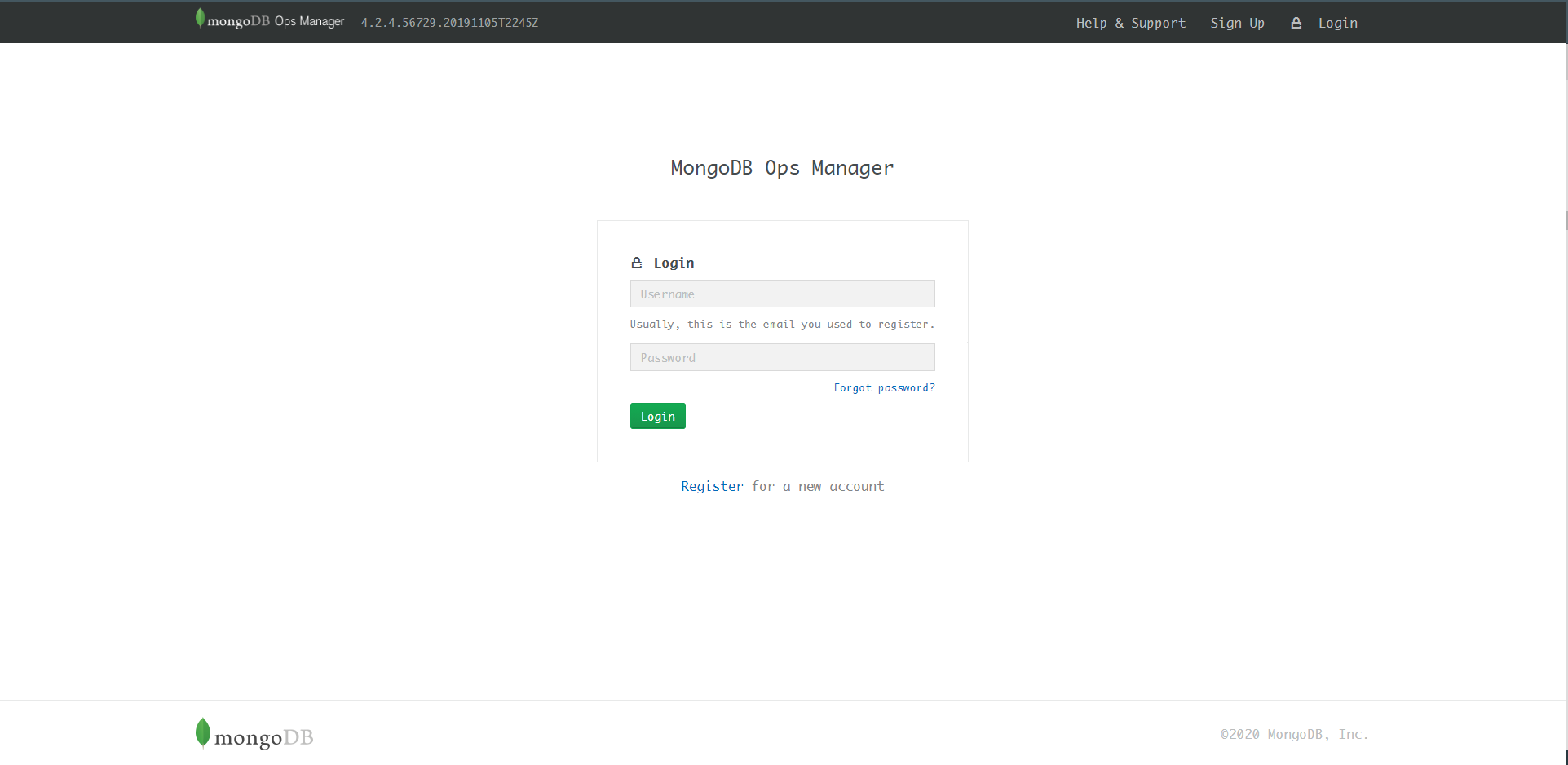
Fill in the ops-manager-admin-secret username and password then login. A configuration page appears, complete it now or later by the Admin UI.
Delete Secret ops-manager-admin-secret
The official tutorial said that it will never be used. I guess the username/password has been wrote to the backend DB. So just safely delete it.
Finish UI
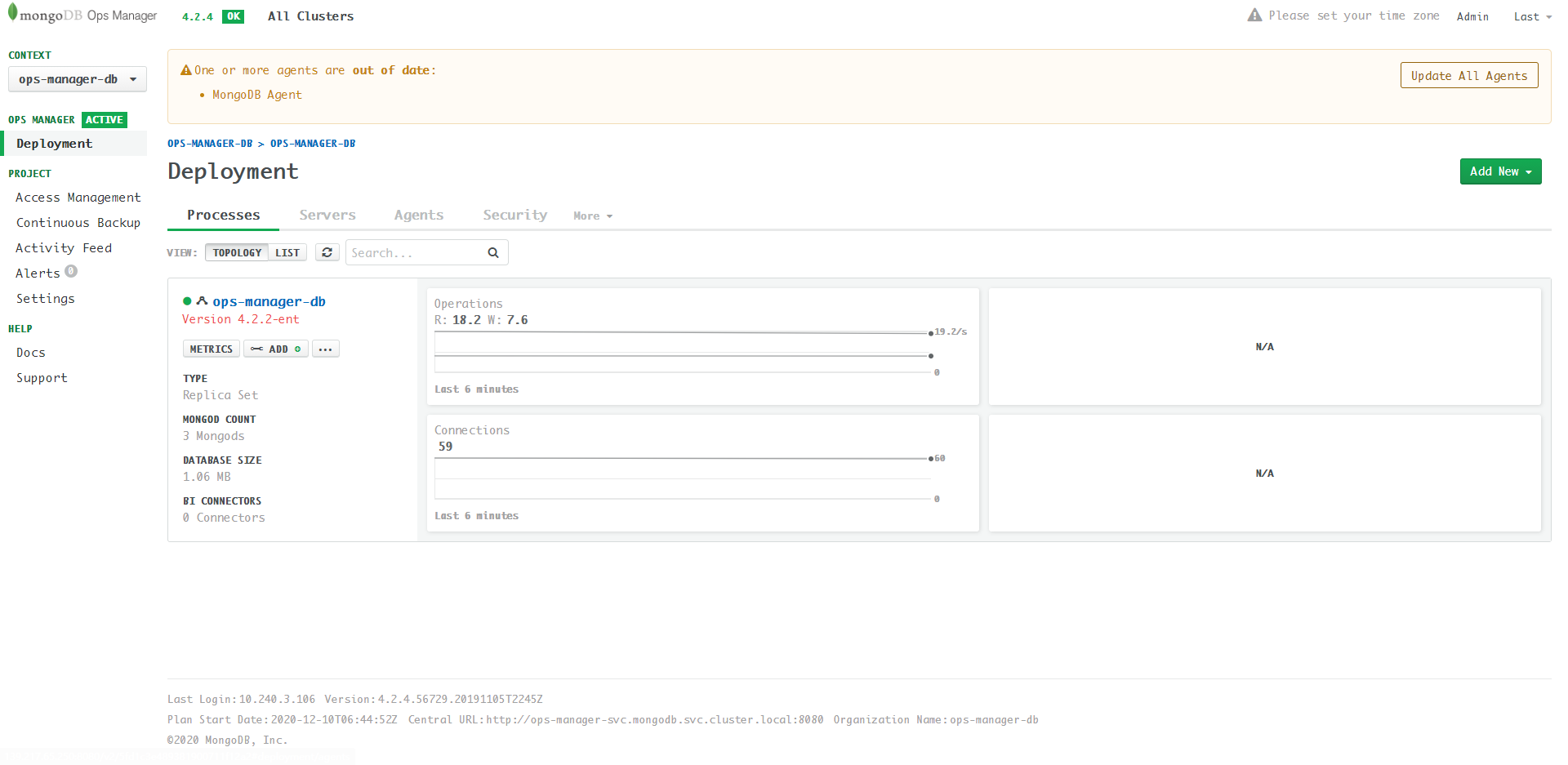
Note: the DB shown above is the backend DB of Ops Manager (aka Application Database), not the user database.
Next we will use MongoDB Kubernetes Operator to create user database:
By the way, the official blog Part2 introduces some advanced features for your reference: # Part2: Ops Manager in Kubernetes