How to Use Multiple Backup Daemons in MongoDB Kubernetes Operator
Multiple Backup Daemons are typically run when the storage requirements or the load generated by the deployment is too much for a single daemon.
Directly scale the statefulset ops-manager-backup-daemon to multiple instances (e.g. 3) doesn’t work. Because the mongodb-enterprise-operator is watching the statefulset, the instance number will be scaled down to 1 by the MongoDB operator several miniutes later.
So how to scale up the backup dameons by the MongoDB kubernetes operator?
If your MongoDB Ops Manager is v5.0.0, then it would be pretty easy. Edit the Ops Manager yaml and add a line memebers: 3 like this (refer to
this commit
):
If the MongoDB Ops Manager is v4.x, I found an alternative: specify replicas: 3 to backup.statefulSet.spec like this:
Apply the yaml and waiting the backup daemons to scale up. Go to Ops Manager Admin -> Backup -> Daemons, the new added daemons will be there:
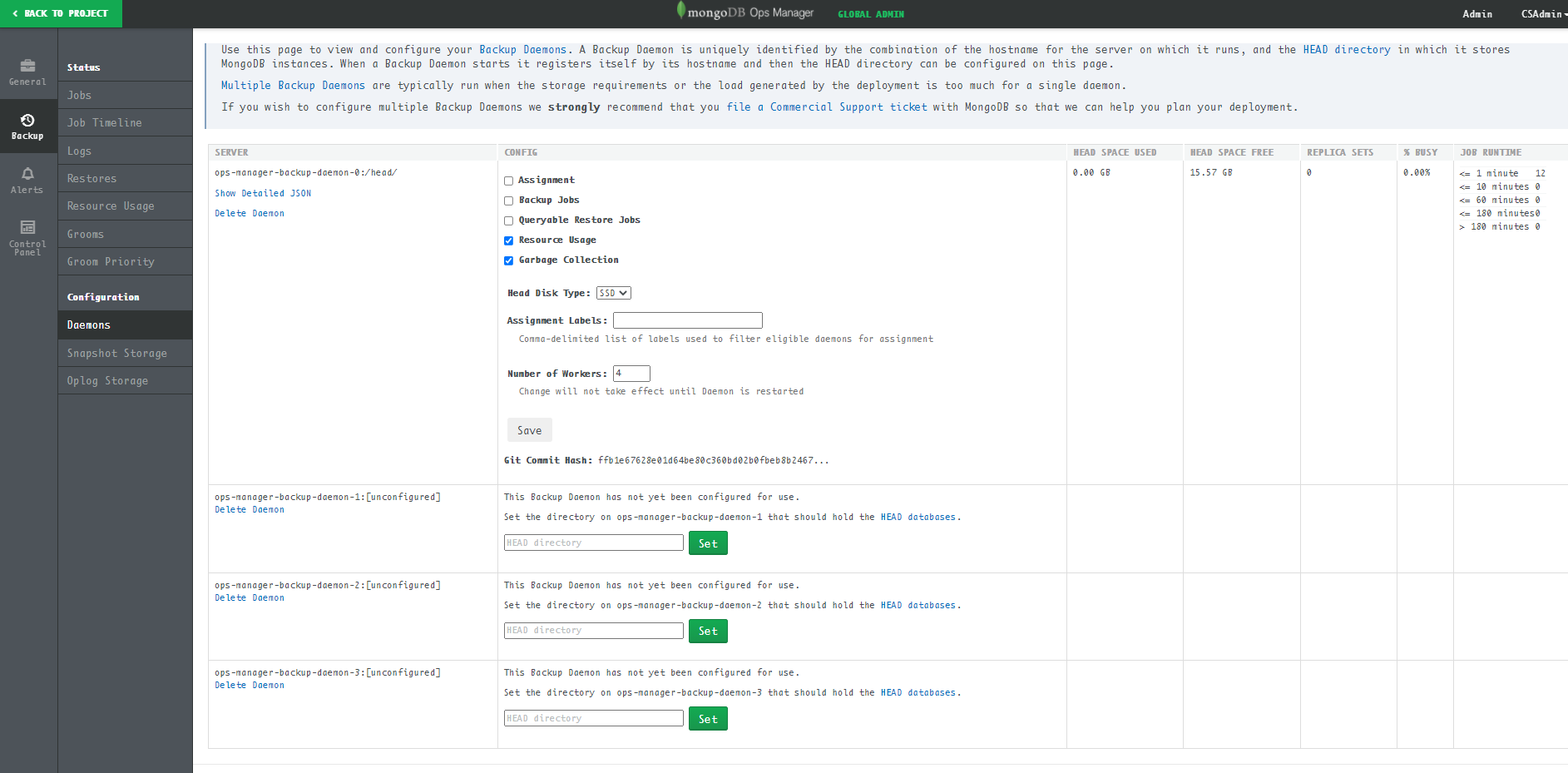
Set the head directory to /head/ and press the set button, the daemon is ready to use:
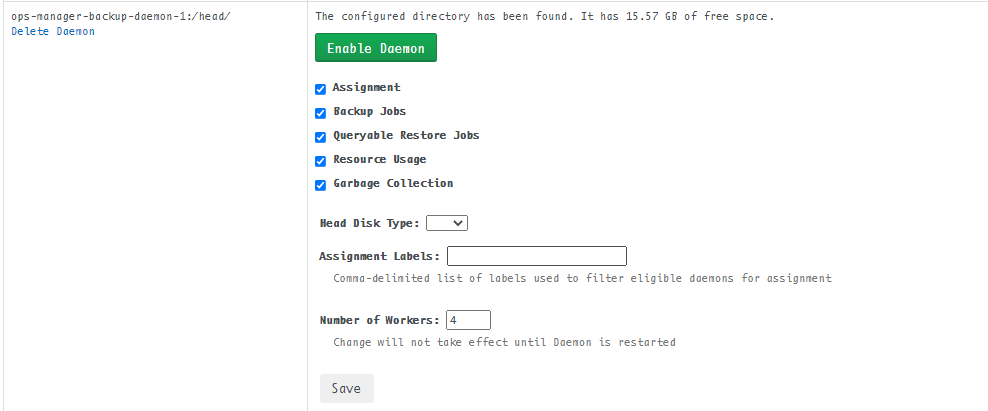
Press Enable Daemon, then you can move jobs to the new backup daemons.